
What Do Thermostat Settings Mean? Guide to Wake, Leave, Return, and Sleep
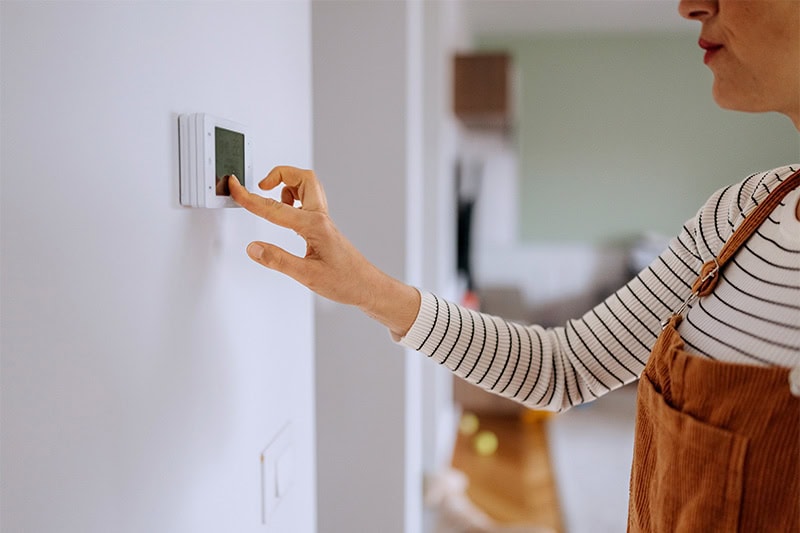
Did you ever get a new gadget with so many bells and whistles that it gets confusing?
Thermostats can get like that. We often think of thermostats as simply turning your heating and cooling on and off. But modern smart and programmable thermostats can do so much more.
For many Boise, ID, homeowners, the transition from a “set it and forget it” manual dial to a digital interface feels like moving from a typewriter to a laptop. You know the potential for efficiency and cost savings is there, but the terminology can feel like a foreign language.
Consider settings like wake, leave, return, and sleep—what do they actually mean?
Mastering these settings is the key to unlocking the true value of your investment. Quality Heating & Cooling can help break down the mystery of the modern thermostat schedule and how you can make it work for your lifestyle.
Here’s what we’ll cover in this guide:
- Decoding the Language of Your Thermostat
- Wake Leave Return Sleep: The Four Pillars
- What Does Wake Mean on a Thermostat?
- What Does Leave Mean on a Honeywell Thermostat?
- What Does Sleep Mean on a Thermostat?
- What Does Return Mean on a Thermostat?
- The Honeywell Standard: Precision Programming
- Optimizing Your Daily Routine
- Helpful Features to Look For in Your Thermostat
- Common Thermostat Pitfalls to Avoid
- Master Your Thermostat Today
Decoding the Language of Your Thermostat
Most programmable and smart thermostats—especially the industry-leading models from brands like Honeywell—operate on a four-period daily schedule. This allows the device to adjust the climate based on your routine rather than maintaining one constant (and expensive) temperature 24/7.
Wake Leave Return Sleep: The Four Pillars
The phrase wake leave return sleep represents the standard four-point logic of a daily schedule. By dividing your day into these four quadrants, the thermostat can automatically pivot between “Comfort Mode” and “Economy Mode.”
It ensures you aren’t paying to heat an empty house while you’re at work, yet guarantees you aren’t shivering while you eat breakfast.
What Does Wake Mean on a Thermostat?
On a programmable thermostat, Wake is the time you want the house to reach your target comfort temperature to start your day. Most smart systems (like Honeywell or Nest) begin heating or cooling before this time so that the home is at the desired temperature the moment the “Wake” period begins.
What Does Leave Mean on a Honeywell Thermostat?
The Leave setting on a Honeywell thermostat is an energy-saving mode used when the home is unoccupied. It tells the HVAC system to prioritize efficiency over comfort by allowing the temperature to drift (lower in winter, higher in summer). Using the “Leave” setting for 8 hours a day can save homeowners up to 10% annually on utility bills.
What Does Sleep Mean on a Thermostat?
The Sleep setting is the period designed for overnight energy savings and sleeping comfort. Most homeowners set the Sleep temperature lower in the winter (around 62°F) and higher in the summer (around 80°F). This period typically ends when the Wake cycle triggers the following morning.
What Does Return Mean on a Thermostat?
The Return setting is the time you want your home to return to a comfortable temperature for the evening. Like the Wake setting, this is a “target time.” The thermostat uses Adaptive Recovery to start the HVAC system early so the house is exactly at your preferred temperature the moment you walk through the door.
The Honeywell Standard: Precision Programming
If you own a Honeywell device, you might notice specific prompts for Honeywellwake leave return sleep settings. Honeywell uses these four markers to create a “7-day” or “5-2-day” program.
A 7-day program allows you to set a different schedule for every day of the week, while a 5-2 day program assumes your Monday through Friday are the same, with a separate schedule for the weekend.
When navigating the thermostat wake leave return sleep menu on a Honeywell, the goal is to minimize the recovery time—the amount of work your HVAC system has to do to reach your target temperature.
For example, in the winter, setting your leave temperature too low (like 50°F) might save energy while you’re gone, but your heater will have to work overtime to hit your return temperature of 70°F. This can actually put more strain on your furnace and potentially cancel out your savings.
The phrase Honeywell thermostat leave meaning thermostat wake leave return sleep essentially describes the away logic. When the thermostat is in leave mode, it’s in its most efficient state. As it transitions through the other three phases, it is balancing your personal comfort with the mechanical limits of your HVAC system.
Optimizing Your Daily Routine
To get the best value from your smart thermostat, you need to understand the “setback principle.”
- During the Wake and Return periods: Set these to your preferred temperatures. For most, this is around 68°F in the winter and 78°F in the summer.
- During the Leave and Sleep periods: This is where the savings happen. In the winter, try setting the sleep and leave temperatures to 62°F. In the summer, try bumping the leave setting up to 85°F.
While these shifts might seem drastic, the “smart” part of your thermostat ensures you never actually feel the change. If your return time is 5:30 PM, the thermostat will start cooling the house at 5:00 PM so it’s perfect the moment you walk through the door.
Helpful Features to Look For in Your Thermostat
While mastering the wake leave return sleep cycle is the foundation, smart thermostats offer bonus features that manual versions simply can’t match.
Geofencing: This uses your smartphone’s GPS to tell the thermostat where you are. If you decide to go to the gym instead of heading straight home, the thermostat knows you haven’t returned yet and stays in leave mode to save you money.
Adaptive Recovery: This is the brain of the unit learning your home’s thermal profile. It calculates exactly how long it takes to move the temperature one degree. It then adjusts the start times of your wake and return periods based on the outside weather.
Humidity Control: High-end smart thermostats can communicate with your AC to run longer, slower cycles to pull humidity out of the air, allowing you to feel comfortable at a higher (and cheaper) temperature setting.
Common Thermostat Pitfalls to Avoid
Even with the best technology, human error can lead to high bills. Here is how to ensure you’re using your device correctly:
- Avoid the Cranking Myth: Setting your thermostat to 90°F won’t heat your house faster than setting it to 70°F. It just ensures the heater stays on longer, likely overshooting your comfort zone and wasting energy.
- The Permanent Hold Trap: Most thermostats have a “Hold” button. A “Temporary Hold” lasts until the next scheduled period (like sleep). A “Permanent Hold” overrides your schedule indefinitely. If you leave your house on a permanent hold of 72°F in the summer, you’ve essentially turned your expensive smart thermostat back into a 1980s manual model!
- Placement Matters: If your thermostat is in a drafty hallway or direct sunlight, its readings for wake, leave, return, and sleep will be inaccurate. Ensure it is placed on an interior wall away from windows and vents.
Master Your Thermostat Today
Modern thermostats are legitimate money savers. By understanding that wake is your morning ramp-up, leave is your away-from-home savings mode, return is your welcome-home comfort, and sleep is your overnight efficiency, you can take full control of your home’s environment.
The beauty of a smart thermostat is the ability to make your Boise, ID, home work for you. Take 10 minutes this week to audit your settings and ensure your schedule actually matches your life. Your wallet (and your HVAC system) will thank you. And remember, our team at Quality Heating & Cooling is always nearby to lend a hand. Call us at 208-377-3555 or request service online for assistance.
